The Shaadi Planning App
Your Whole Shaadi, on Your Phone.
Know the moment families reply, with the whole plan in sync and your family on their own phones.


Free for iPhone, iPad and Android.
New to Shaadi Planning? Start your wedding first
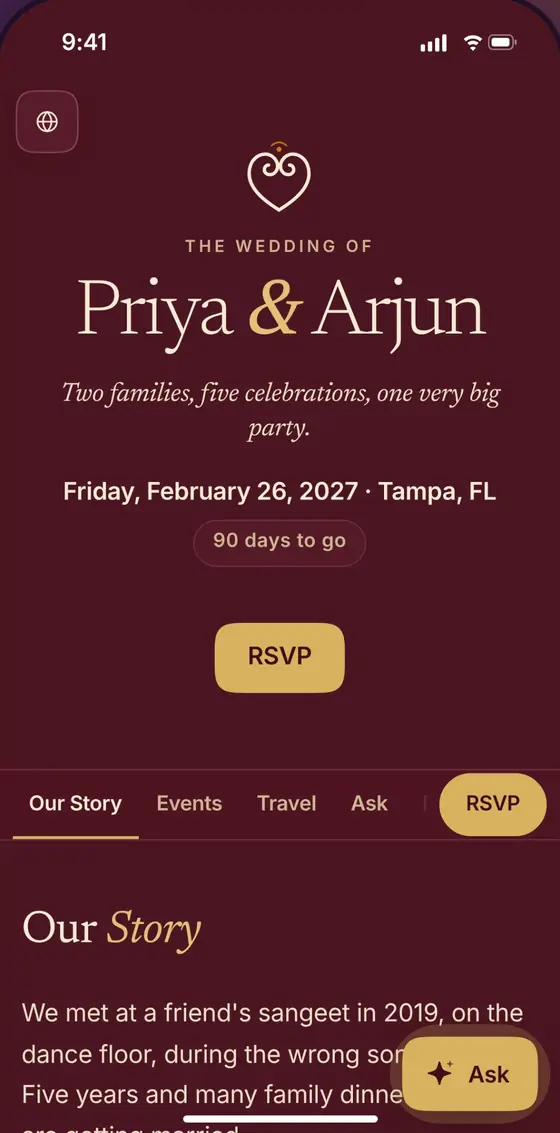
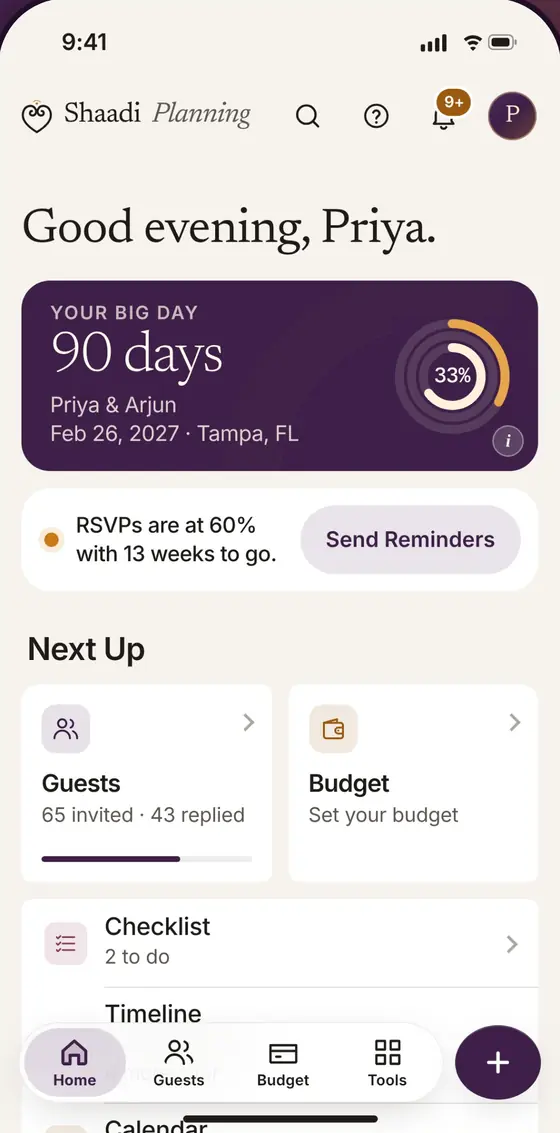
It runs in your browser. Add it to your Home Screen and it opens full screen, like any app on your phone. Sign in with the email, Google or Apple your wedding uses.
iPhone and iPad
- Open shaadiplanning.com/app in Safari.
- Tap Share
- Tap Add to Home Screen.
Android
- Open shaadiplanning.com/app in Chrome.
- Tap ⋮ at the top right.
- Tap Install app (or Add to Home screen).
Or use it in your browser: shaadiplanning.com/app
On Your Phone
What the App Does for You.
Know the Moment Families Reply
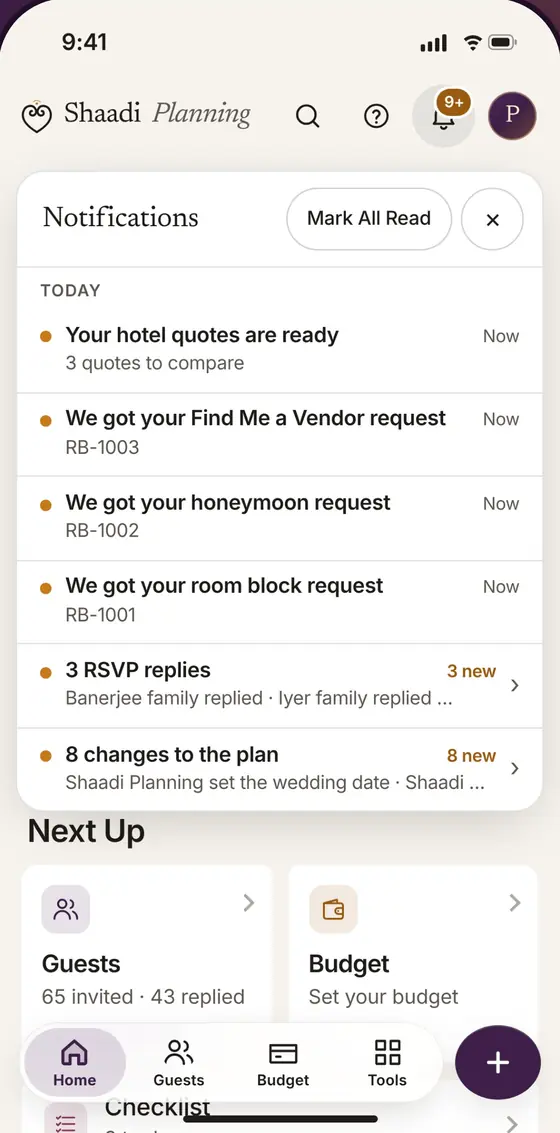
RSVPs, gifts and shagun, replies to your messages, payments due and your hotel quotes, on your Lock Screen as they happen. Tap one and it opens that family, that gift or that thread.
Your Countdown on the Home Screen
Widgets for the countdown, your RSVPs and what is next, kept up to date by themselves. On iPhone, Next Up and the Lock Screen too.
The Whole Plan, in Sync
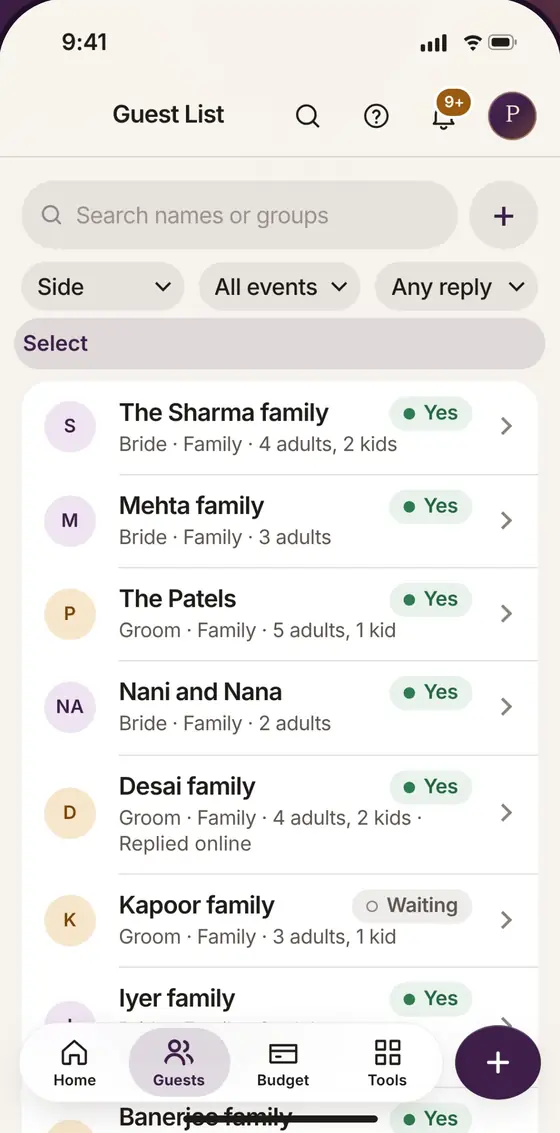
Guests, RSVPs, the budget, the checklist, your website and every request to our team: the same plan as on the web, and a change on one shows on the other.
The Wedding Day on Your Wrist
On Apple Watch: what is on now and what is next, a gentle tap before each moment, the guest count at the door, the people to call and the vendors as they arrive. Mark a moment done or running late, call up each photo group for the photographer, post an update to your website, or record a meeting, all with your phone left behind.
The Family, Each on Their Own Phone
Your partner, parents and cousins sign in as themselves, up to 12 people. Give each one Full or Limited access; Limited never shows the money.
Guests Never Need the App
RSVP links, your wedding website, the seat finder and the Photo Groups finder open in any browser, with nothing to install and no sign-in.
On Your Mac Too
The same app on a Mac with Apple silicon, from the Mac App Store: a bigger screen for the guest list and the budget, signed in to the same plan.
Get Started
Ready in 3 Steps.
Get the App
On your iPhone, iPad or Android phone, from the top of this page.
Sign In
With the same email, Google or Apple your wedding uses. Your whole plan is already there. No second purchase.
Bring Everyone In
Turn on notifications, then invite your partner and family from Account, People.
New to Shaadi Planning?
Start your wedding on our website. Then get the app and sign in with the same email, Google or Apple: it opens right into your wedding.
Already Planning With Us?
Your partner, family and planner too: sign in with the email, Google or Apple your wedding uses.
Questions, Answered.
Do I Need to Pay Again in the App?
No. Sign in with the email, Google or Apple your wedding uses and your whole plan is there. There is nothing to buy in the app.
Do Our Guests Need the App?
No. Each family's RSVP link, your wedding website, the seat finder and the Photo Groups finder open in any browser, with no app and no sign-in.
Does It Work on iPad?
Yes. The same app from the App Store runs full screen on iPad, in any orientation and in Split View.
Does It Work on Android Tablets?
Yes. The app on Google Play works on Android phones and tablets.
Does It Work Offline?
It needs a connection to load and save your wedding, and nothing you saved is lost while you are offline. The widgets keep showing your last numbers.
Is the App Free to Download?
Yes, with no in-app purchases. Your Shaadi Planning plan opens in it when you sign in.
Is There an Apple Watch App?
Yes. It comes with the iPhone app: open the Watch app on your iPhone and install Shaadi Planning. Once your iPhone has signed it in, it works over the watch's own Wi-Fi or cellular.
Does It Work on a Mac?
Yes, on a Mac with Apple silicon: get Shaadi Planning from the Mac App Store and sign in with the email, Google or Apple your wedding uses. On any computer it also works in your browser.